

AI Inside and Outside of DAM
Better AI outputs, because they are built from your governed library, not a guess. Faster teams, because search, tagging, and organization happen automatically behind the scenes.
Help Your Teams Work

Connect AI to Your Governed Library
A native MCP Server connects Microsoft Copilot, Claude, and other AI tools directly to your approved assets, current brand standards, and rights data. Build repeatable skills that reference your DAM automatically, pulling the right imagery and video into recurring work without anyone asking each time.

Search the Way You Speak
Scaling your brand requires moving past manual tasks. Acquia DAM uses AI to handle the heavy lifting of tagging, transcribing, and writing descriptions. Natural Language Search takes it further by understanding the meaning behind your queries, designed for English, with support for simple searches in other languages. No more guessing the "magic keyword." Just fast, accurate results that get your content out of the DAM and into the market.

Localize and Translate Content
Support growth in new regions with AI assisted translation and transcreation. Use AI to translate copy, product information, metadata, and videos. Paired with branded templates and searchable assets, your regional teams are set up for success.

Accessibility
Improve the accessibility of your assets with the help of AI. Use AI generated alt text descriptions for images to be used across websites and social posts. Also, AI generated closed captions make videos accessible to those that are deaf, hard of hearing, or in noisy environments.
Acquia DAM AI Features
AI assistance throughout the content lifecycle

MCP Server NEW
Connect Microsoft Copilot and other AI tools directly to your governed library. Approved assets, brand standards, and rights data, ready for any AI tool to use correctly.

Natural Language Search NEW
Search the way you speak, find exactly what you mean. Designed for English, with support for simple searches in other languages.

Duplicate Detection NEW
Identify visually identical assets for prompt, easy review and removal. Help your users find assets faster without clutter of duplicates, ensure more accurate asset usage tracking, and free up storage space. (Technically not machine learning, but algorithmic. It’s still powerful!)

Facial Recognition NEW
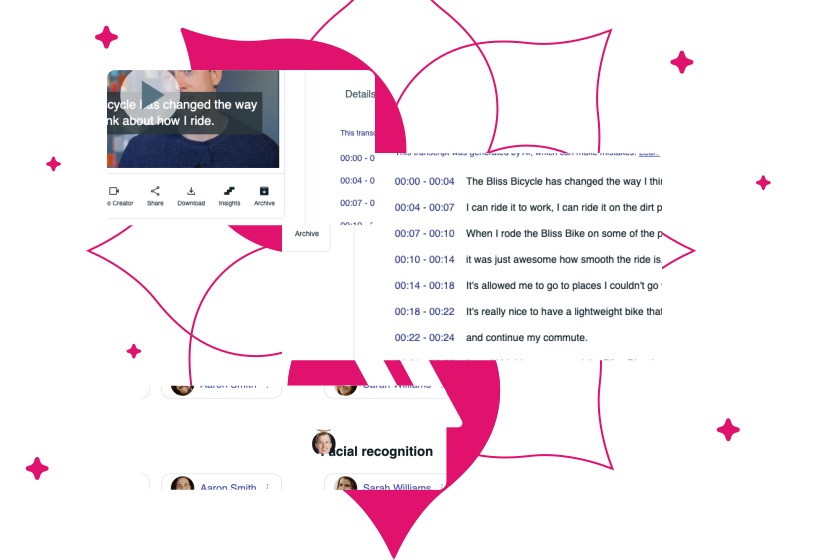
AI recognizes facial features to group into “people,” which can be named by an admin for faster tagging, finding, and even removal. Use it for staff, talent, and other people your brand features.

Metadata Generation
Use computer vision to look at an asset and generate keywords, descriptions, and more in over 50 languages. Industry starter models, text extraction, and custom training available.

Translation
Translate written content, metadata, product information, and video content.

Video Creation
AI scripting, image selection, voices, subtitling, transcription, and translation help streamline and automate video creation.

Color Filter and Search
Use AI to analyze the color profile of an image and provide filtering and search of specific HEX values, without any administrator work required.

Video Transcription
Generate a transcript that is stored on the video’s asset digest page, eliminating the need to send videos to a separate transcription service.

On-brand, Search-optimized Product Content
Turn your existing product data into product content with generative AI. Using your product attributes and keyword targets, AI will generate compelling product descriptions.

Creative Sounding Board
Get AI generated copy and design ideas in the comments functionality of the Workflow proofer. Ask AI Assistant for help trimming copy, changing the tone, or alternative headlines to get your content just right.
Keep AI in Check With These Tools

Flag and Govern AI Generated Content
Using an AI generated upload profile makes it easy to assign appropriate metadata, usage rights, and permissions. Asset group flags act as a visual indicator of AI content in search results and on the asset digest view.

Notify For Review
The Paths feature makes it easy to set up notifications for brand or legal review before making an asset accessible for external use.
| How does Natural Language Search differ from traditional keyword search? |
|---|
|
Natural Language Search (NLS) allows you to search your library using everyday language and intent, rather than needing to know specific "magic keywords." While traditional search requires an exact match (e.g., searching for "bicycle" but finding nothing because the asset was tagged "bike"), NLS understands the meaning and synonyms behind your query. It enables your team to find assets based on a "vibe," a "mood," or a specific persona in seconds
|
| Does Acquia DAM offer native AI capabilities out of the box? |
|---|
|
Yes. Acquia DAM includes “out-of-the-box” AI and smart capabilities designed to help customers get value quickly. They are opt-in, and turned on with the flip of a switch by your DAM admin. Features include, tag generation, duplicate detection, facial recognition, and color filter.
|
| Does Acquia DAM connect to AI tools like Microsoft Copilot? |
|---|
|
Yes. A native MCP Server connects Microsoft Copilot and other AI tools directly to your governed library, so anything built using them draws from approved assets and rights data.
|
| Does DAM governance still apply when an AI tool pulls an asset through MCP? |
|---|
|
Yes. The same rights and usage rules that govern assets inside the DAM travel with them into Microsoft Copilot and any other AI tool connected through MCP. An expired asset or a restricted image stays restricted, no matter which tool is asking for it.
|
Responsible AI Solutions
Deliver more experiences that will engage your audiences at the right time — all done responsibly while keeping your data safe.